HangShots

A tiny app for Windows

Your screenshots, hanging on a line.

HangShots keeps your latest screenshots on a little clothesline at the top of the screen. Push the mouse up, grab a shot and drop it into a chat, an e-mail or a folder – or open it in a quick editor.

v1.0.10 · 63,0 MB · Windows 10 / 11

Push the mouse to the top edge
01

A small app that saves a lot of clicks

Always at hand

Push the mouse to the top edge and the line comes down – on every monitor.

Drag & drop anywhere

Pull a photo off the line and drop it into Teams, Slack, Outlook, a browser or a folder.

Quick editor

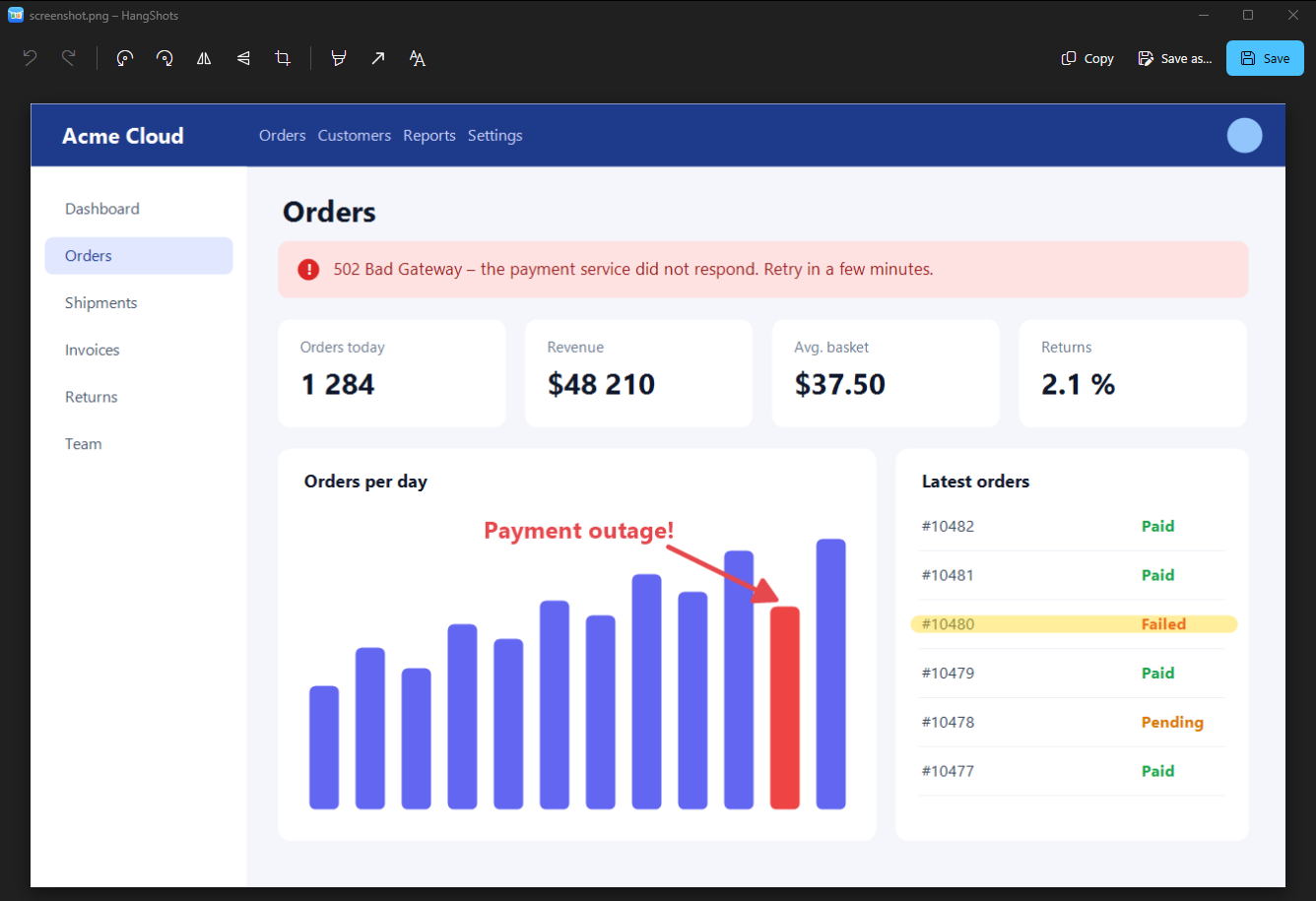
Crop, rotate, flip, highlighter, arrows and text. Save overwrites, Save as hangs a new photo.

Copy in one go

Ctrl+C copies exactly what you see – including your arrows and notes.

Every monitor

A line on each screen. Drag photos from one monitor to another.

Your order

Rearrange photos on the line – a glowing dot shows where they will land.

Light and native

Built on Windows Composition: smooth physics, tiny footprint, starts with Windows.

Speaks your language

English, Čeština, Slovenčina, Deutsch, Español and Français.
02

Screenshots

The editor – crop, arrows, highlighter, text
  1. 1Crop, rotate, flip
  2. 2Highlighter, arrows, text
  3. 3Copy · Save · Save as
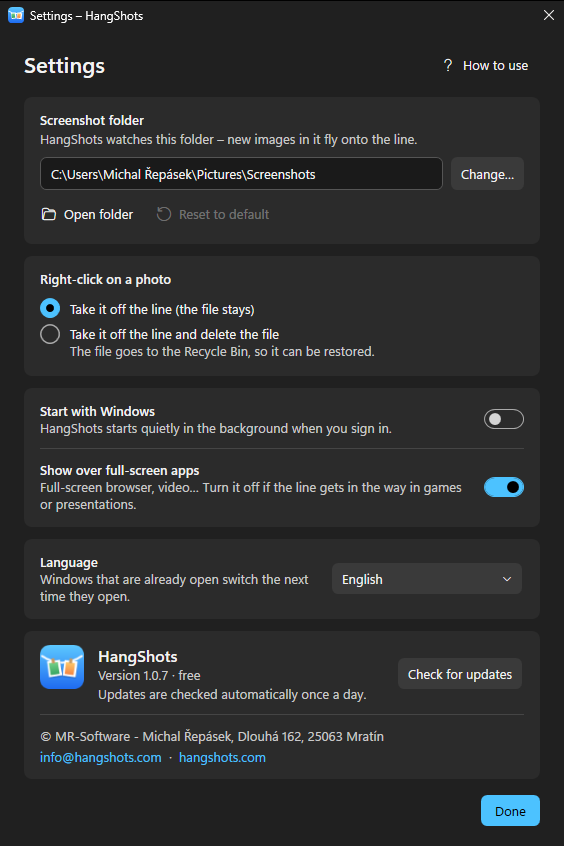
Settings
Settings
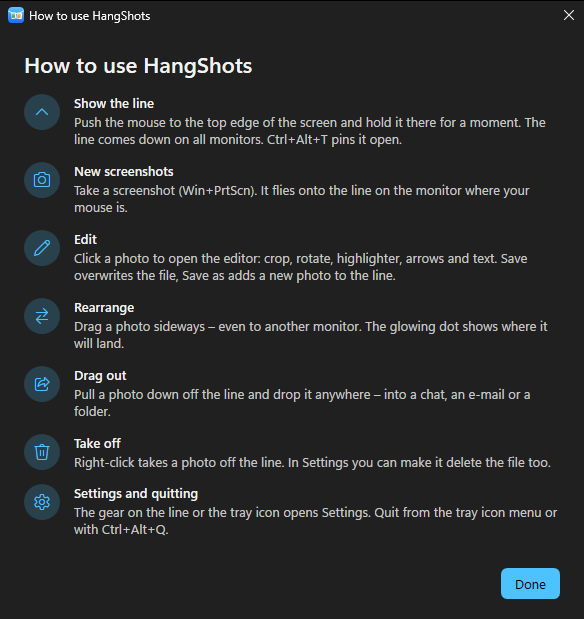
Built-in guide
Built-in guide

Free. Really.

No ads, no account, no subscription. Your screenshots never leave your computer – HangShots only checks once a day whether there is a new version.

03

Up and running in a minute

  1. 1

    Download and run the installer.

  2. 2

    Take a screenshot with Win + PrtScn.

    ⊞ Win + PrtScn

  3. 3

    Push the mouse to the top edge of the screen.

Download for Windows

v1.0.10 · 63,0 MB · Windows 10 / 11

04

Questions

Which Windows do I need?
Windows 10 version 2004 or newer, or Windows 11 (64-bit).
Where do the screenshots come from?
From your Screenshots folder (Pictures\Screenshots), where Windows saves Win + PrtScn. You can choose another folder in Settings.
Does HangShots upload my screenshots?
No. Everything stays on your computer. The app only asks hangshots.com once a day whether a new version is available.
Windows warns me about the installer.
New apps that haven't been downloaded much yet can trigger a SmartScreen warning. Click “More info” and then “Run anyway”.
How do I uninstall it?
Windows Settings → Apps → Installed apps → HangShots → Uninstall.